You can delete your Scolago account yourself from your profile.
 | Caution, deleting your account is permanent. All your data, including your absence and replacement history, will be erased, and you will no longer be able to access your account. |
Depending on your situation, another option may better suit your needs:
- Do you have more than one Scolago account? Instead of deleting one, we recommend merging them. All your organizations will then be grouped under a single account, and your profile settings in each organization will be kept.
 | For the steps to follow, see the following article: All - How to merge my accounts? |
- No longer want to receive replacement offers? Instead of deleting your account, we suggest turning off the I am available toggle in your profile. Your settings in each of your organizations will be kept, and you can simply turn the toggle back on whenever you want to receive offers again.
| For full details, see this article: Substitute - How do I make myself available and unavailable? |
- No longer want to work for a specific organization? You can remove the establishments in question.
| For the available procedures, see this article: All - How to remove an establishment from your profile? |
If your organization uses synchronization, the establishments you removed may reappear in your profile. In this case, contact the person responsible for Scolago in that organization. Their contact information is available in the Help module, at the bottom of the left-hand menu.
If you still want to delete your account, follow these steps:

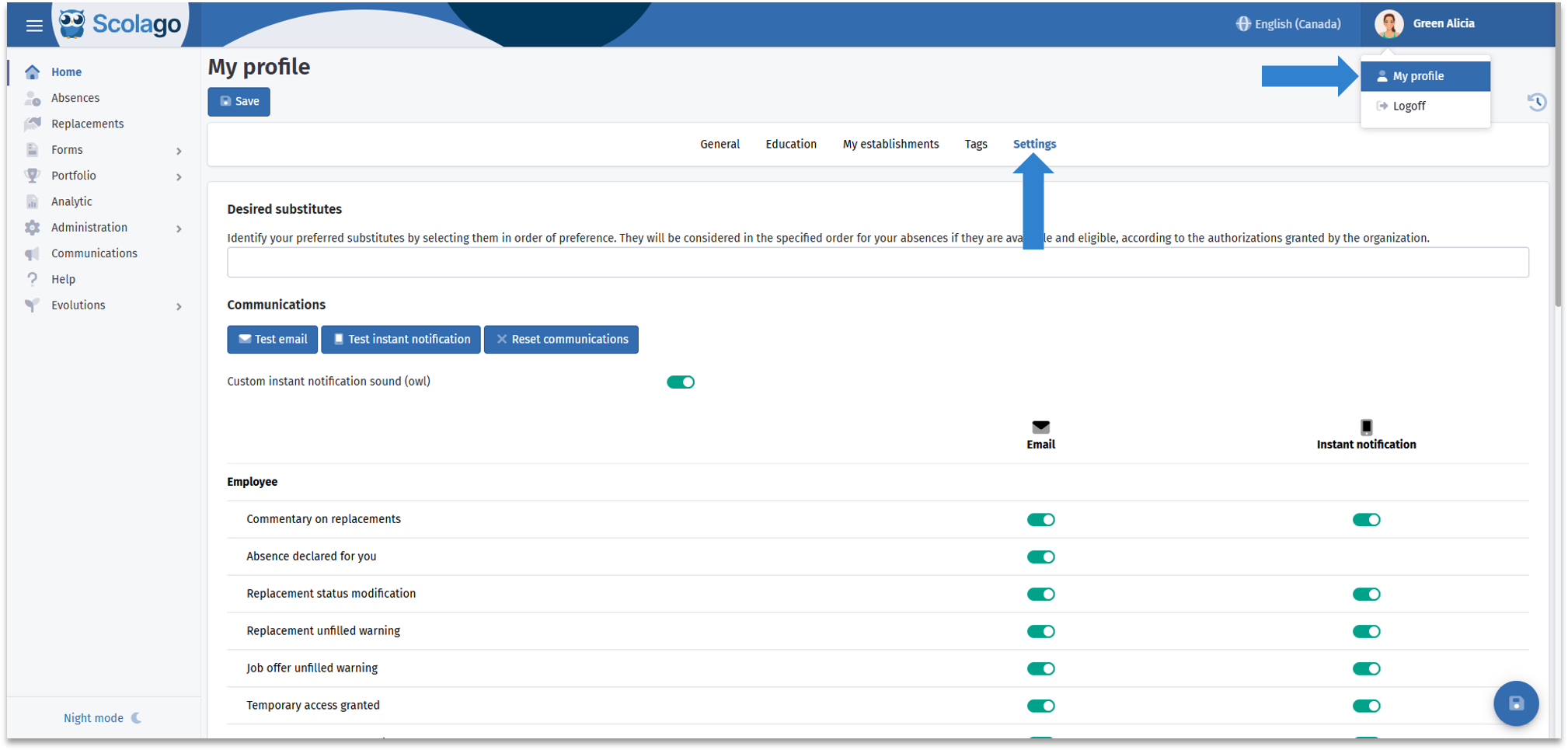
Click your name in the top right corner, then click My profile. Select the Settings tab.

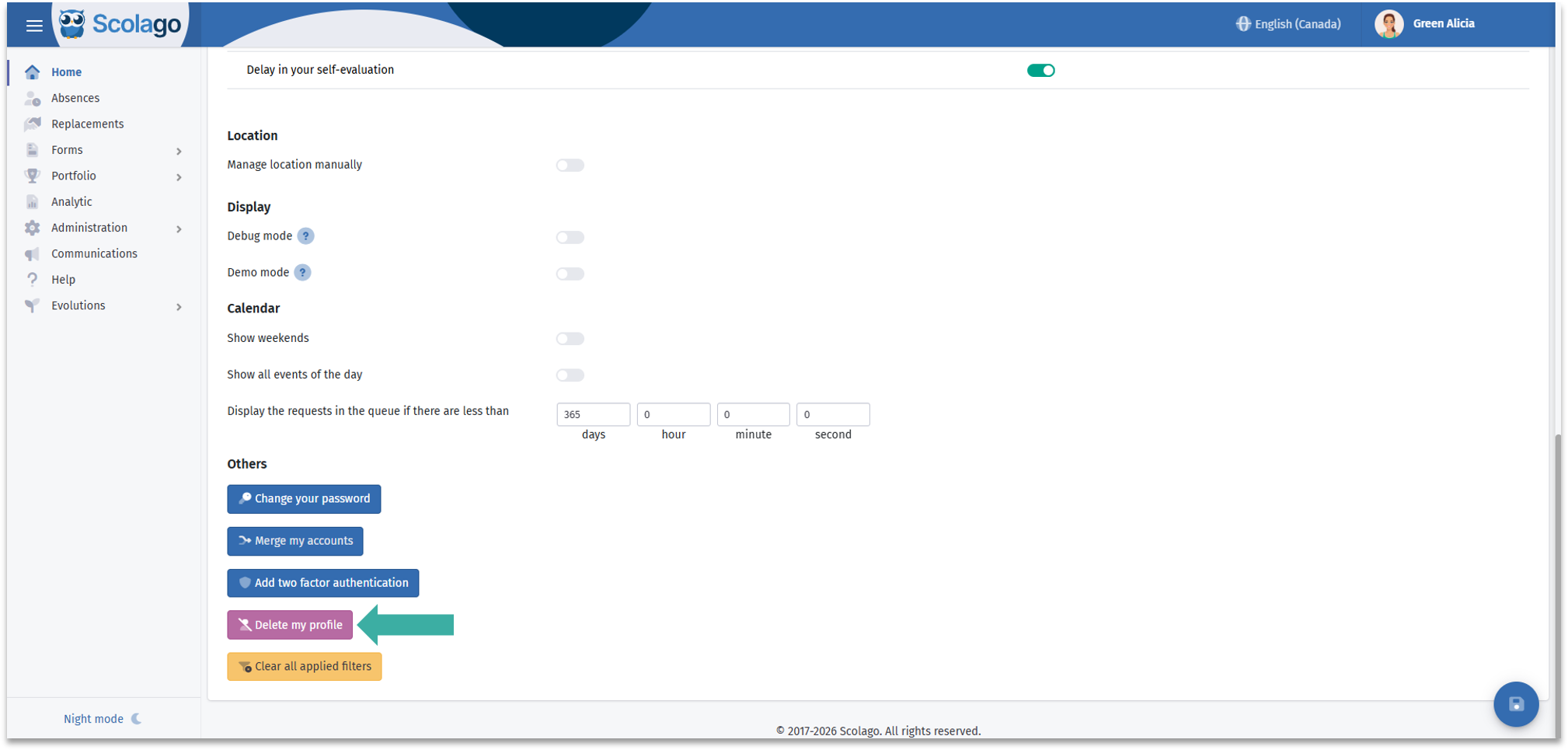
Scroll to the bottom of the page and click the Delete my profile button.

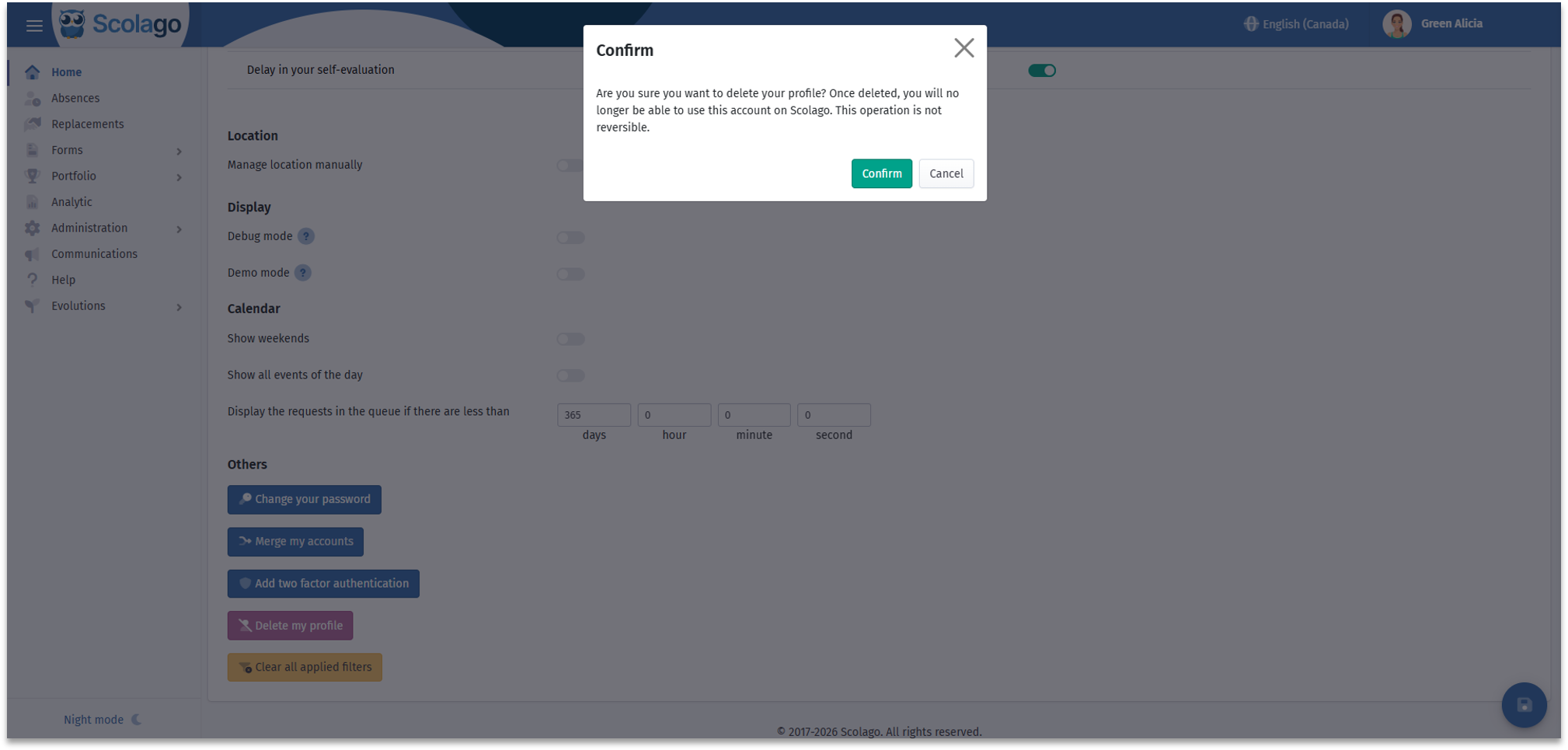
In the window that opens, confirm the deletion.
Was this article helpful?
That’s Great!
Thank you for your feedback
Sorry! We couldn't be helpful
Thank you for your feedback
Feedback sent
We appreciate your effort and will try to fix the article