Whether you are a substitute, an employee, or both, we recommend having only one Scolago account. If you have more than one, you can merge them to bring all your organizations together in one place. Your profile settings in each organization will be kept. Please note that to complete the merge, you must have access to the inbox of both email addresses involved.
 Caution, this procedure is final and cannot be reversed. Therefore, it is essential to ensure that there are no errors. However, the merge will retain the data and archives from both accounts under a single email address of your choice.
To merge two accounts, follow the steps below. If you have additional accounts, repeat the procedure for each one:

Make sure you are logged into the account with the email address you want to keep.
Click on your name in the top right corner, then select My profile. Go to the Settings tab.


Scroll to the bottom of the page and locate the Merge my accounts button.
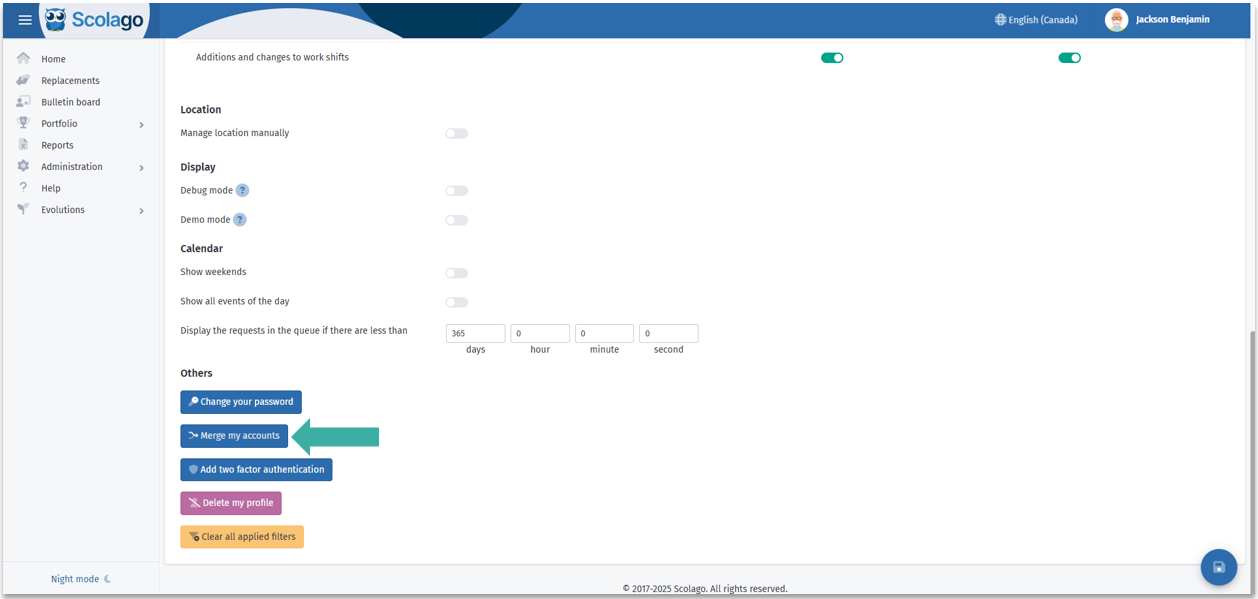

By clicking, a window will open.
Enter the email address of the account to be merged. Review the warning message, check the box I agree, and then click Merge.
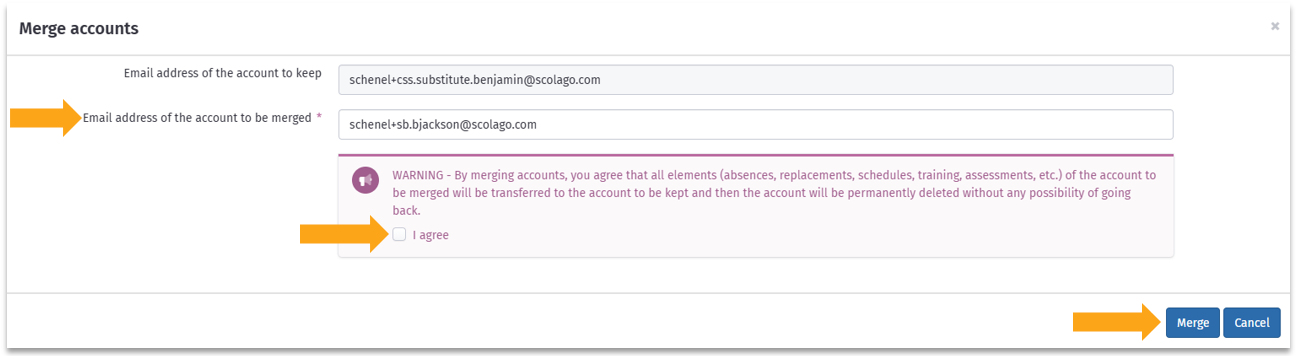

An email will be sent to the address to be merged (to be deleted) to confirm the merge.
 | Caution, the process will be completed and effective only once the confirmation link in the email is clicked. |

If you no longer have access to the emails of the address to be merged, simply contact our technical support team by clicking on the Send a ticket at the top of this page and provide the following details:
With this information, we will be able to identify you and proceed with the merge. |
Was this article helpful?
That’s Great!
Thank you for your feedback
Sorry! We couldn't be helpful
Thank you for your feedback
Feedback sent
We appreciate your effort and will try to fix the article