Your organization provides you with several evaluations in the Professional development module. These evaluations are used to assess the key behaviors and skills required for your role.
Your manager can add you to an evaluation, or you can do it yourself.
If you want to add yourself to a professional evaluation, follow these steps:

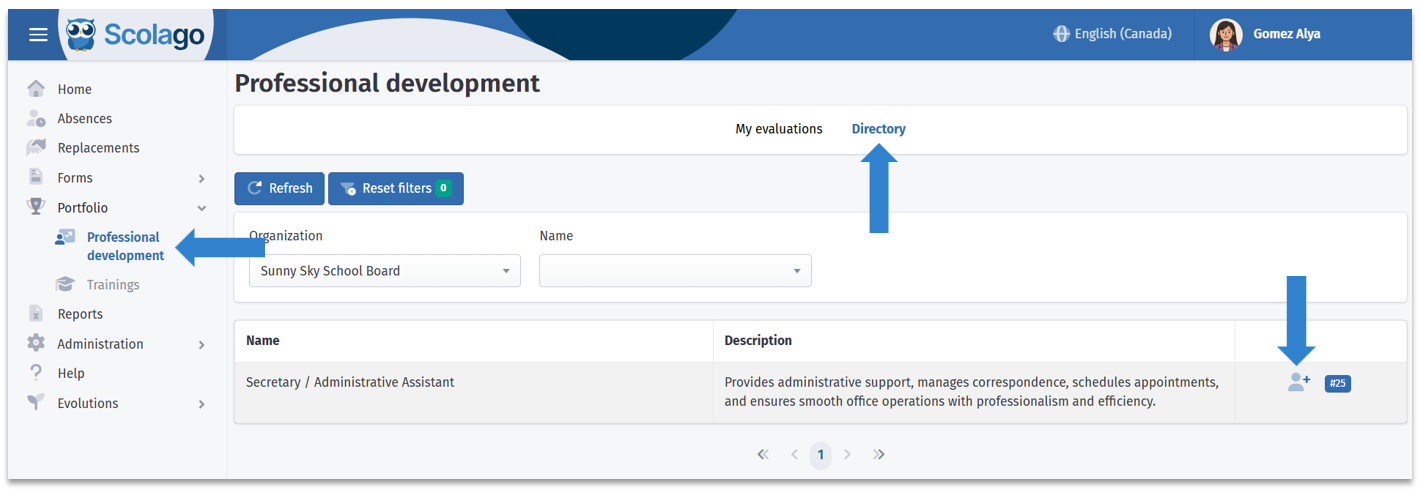
Go to the Professional development module under the Portfolio tab in the left-hand menu. Then, click on the Directory tab.
Locate the evaluation you want to add yourself to and click on the person icon.

A window will open to configure your addition.
First, enter a Mid-period due date if desired. However, you must enter an End-of-period date.
If you want this professional evaluation to be managed personally, leave the Add a manager switch inactive. Otherwise, activate it so the Manager field appears. Using the dropdown menu, select the manager who will be responsible for evaluating you according to the same criteria you use for your self-evaluation.
Then, click Add. 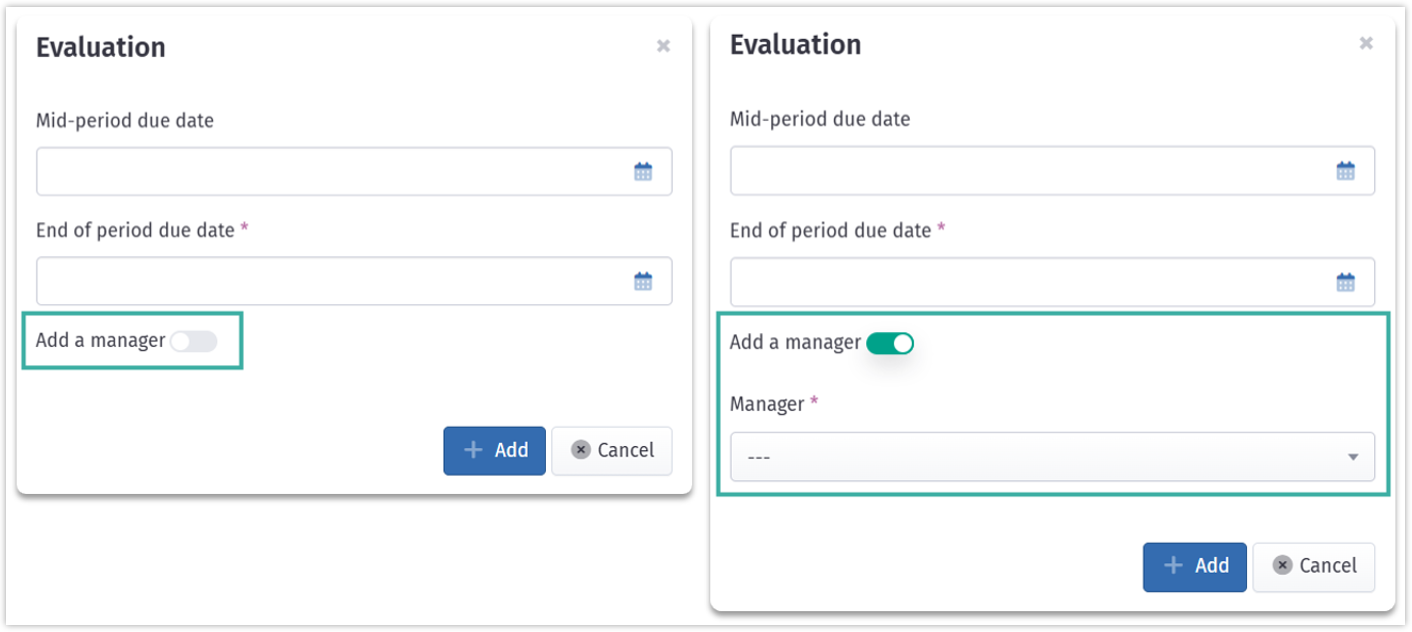

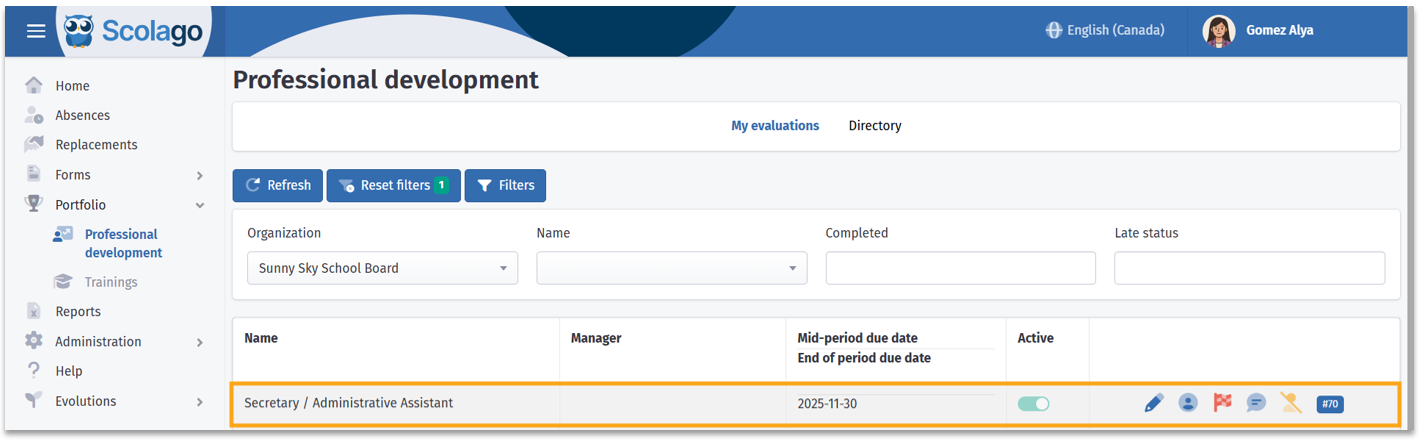
The evaluation will be added to your My evaluations tab, and the evaluation process will be ready to begin.


For full details on the evaluation process, see this article: How to fill out your professional evaluation?

If desired, you can also watch the procedure in this video: Video: Employee - How to add yourself to a professional evaluation?
Was this article helpful?
That’s Great!
Thank you for your feedback
Sorry! We couldn't be helpful
Thank you for your feedback
Feedback sent
We appreciate your effort and will try to fix the article