To access the absence declaring, training, or other modules, it is essential to first add at least one establishment to your profile.


Caution, please note that if your organization is synchronized with an internal system, the additions of your establishment, your job, and, if necessary, the creation of your account will be done automatically.
If this is not the case, please note that your establishment may prevent manual additions as an employee. Indeed, to avoid unknown individuals being added, this option may be disabled. If this is the case, contact the platform administrator within your organization. Their information is available in the Help section of the Scolago platform. To access it, click on this link: Contacts by Organization. |
If you need to manually add your institution as an employee, simply follow these steps:

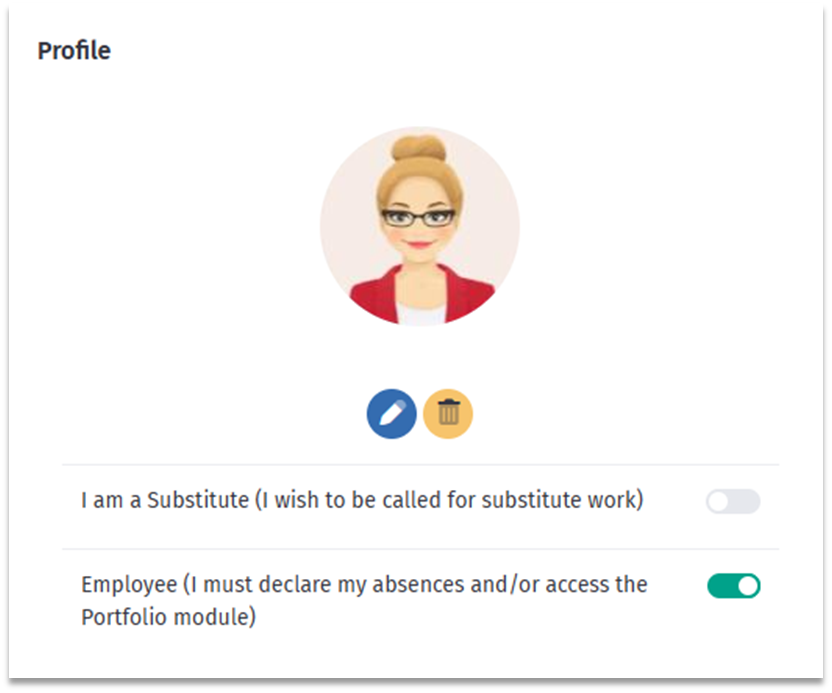
First, ensure that the Employee (I need to report my absences and/or access the Portfolio module) badge is activated in the My profile tab. Don’t forget to save any changes.

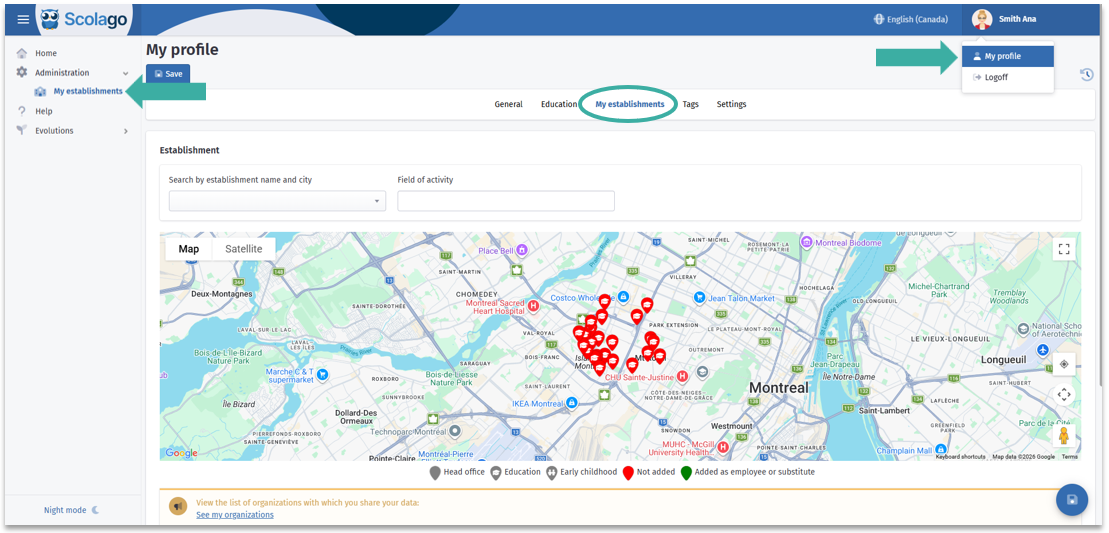

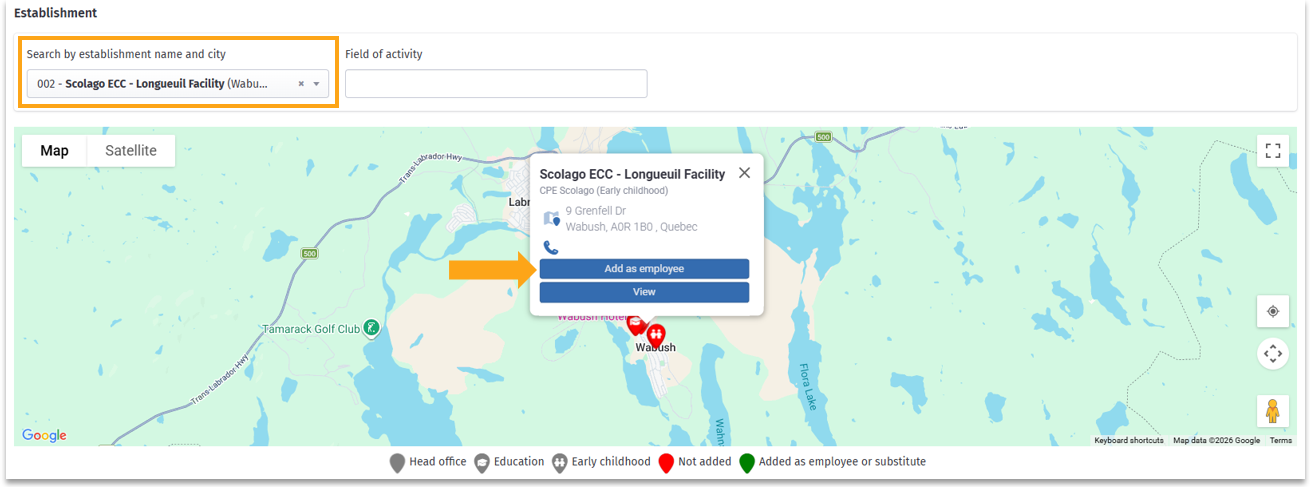

Video: All - How to add an establishment?.
Please note that some establishments shown on the map may belong to an organization that does not use Scolago for staff recruitment. 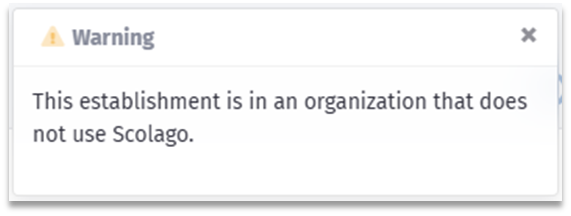 If needed, contact the organization using the details provided in the Help module or via their official website. |
Was this article helpful?
That’s Great!
Thank you for your feedback
Sorry! We couldn't be helpful
Thank you for your feedback
Feedback sent
We appreciate your effort and will try to fix the article