Tracking the status of your expense reimbursement requests is essential to ensure they are properly handled and reimbursed.
Here are the steps to follow to check the status of your requests:

Click on the Forms tab, then select the Expense reimbursements module.
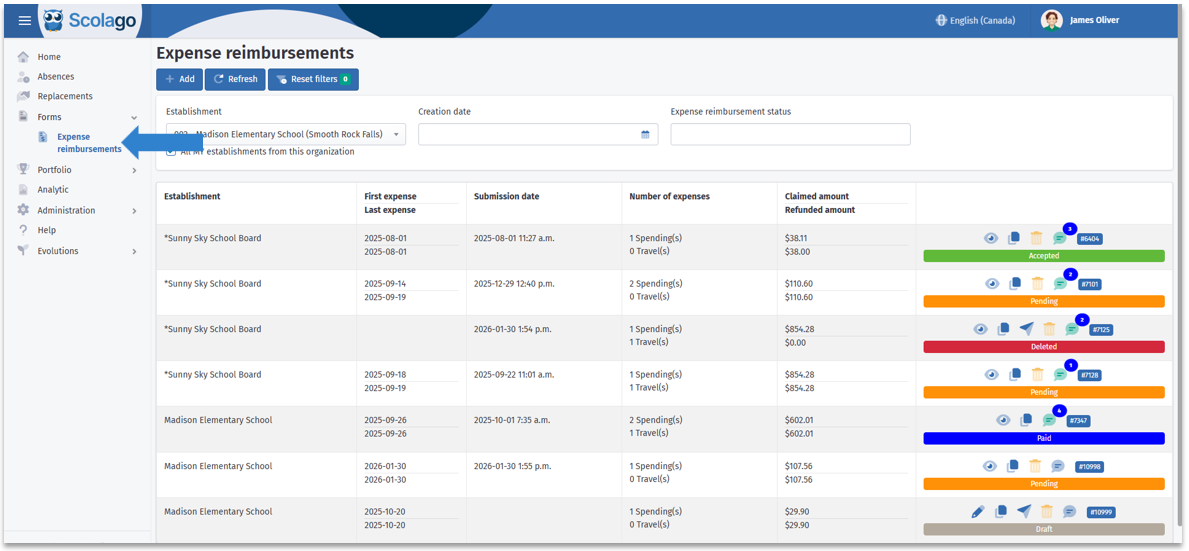

To make your search easier, the module allows you to find a specific request using the available filters.
You can notably filter by:
Establishment;
Creation date;
Expense reimbursement status.


Check your reimbursement status: if it shows as Paid, it means all expenses in that request have been approved and paid.
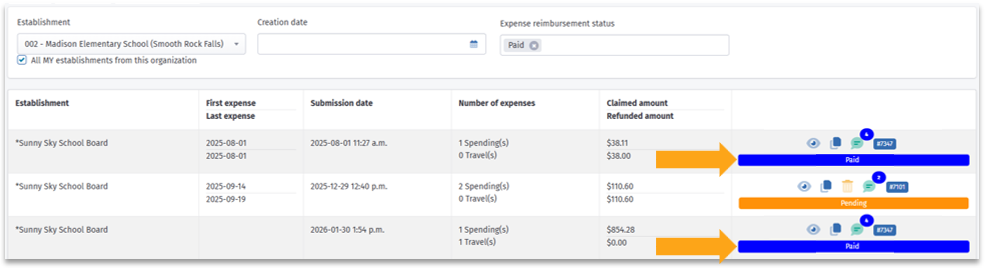
There are several other statuses, each representing a specific step in the process. Please note that the overall request status is determined by the least advanced expense. For example, if a request contains one Paid expense and another Pending expense, the overall status will remain Pending.
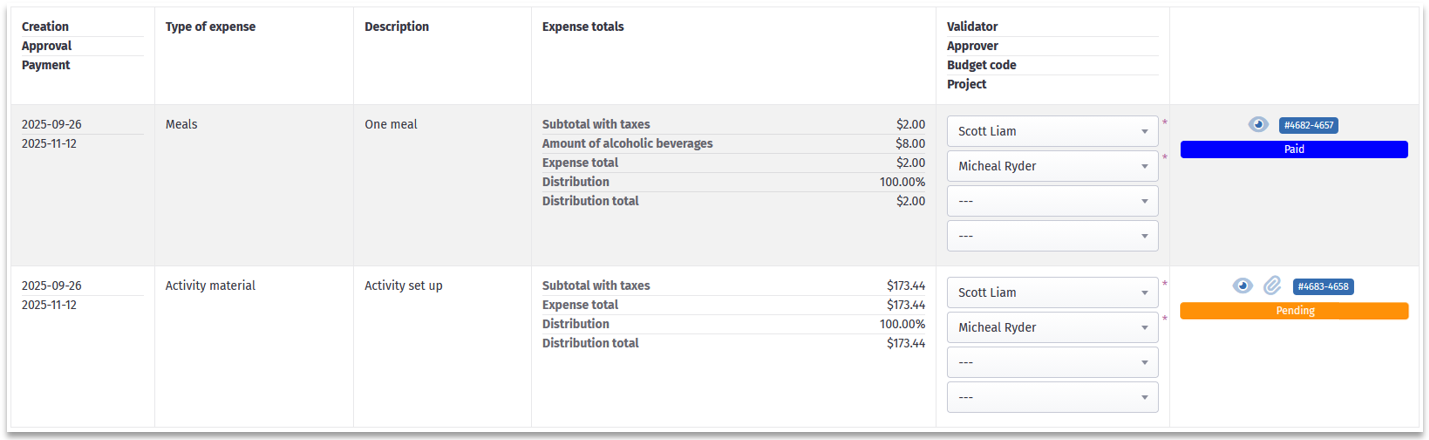

To better understand the different statuses in the Expense Reimbursements module, you can consult the following article: All - Overview of the ''Expense Reimbursements'' module
Was this article helpful?
That’s Great!
Thank you for your feedback
Sorry! We couldn't be helpful
Thank you for your feedback
Feedback sent
We appreciate your effort and will try to fix the article